Shoot many. Paste once.
ShotBasket sits in your Mac’s menu bar and keeps every screenshot you take in a basket. When you’re ready, one ⌘V drops them all into your message as separate files, in the order you took them.
Your clipboard holds one image.
Your message needs five.
Every new screenshot replaces the last one. So you capture, switch to the chat, paste, switch back, and do it all again. With ShotBasket you capture everything first and paste once.
19steps
The usual way
- Capture
- Switch
- Paste
- Back
- Capture
- Switch
- Paste
- Back
- Capture
- Switch
- Paste
- Back
- Capture
- Switch
- Paste
- Back
- Capture
- Switch
- Paste
Nine of those steps are only switching windows.
7steps
With ShotBasket
- Capture
- Capture
- Capture
- Capture
- Capture
- Switch
- ⌘V
Every image arrives as its own file. Nothing is merged, and nothing goes out until you press Send.
The real app, not a mock-up.
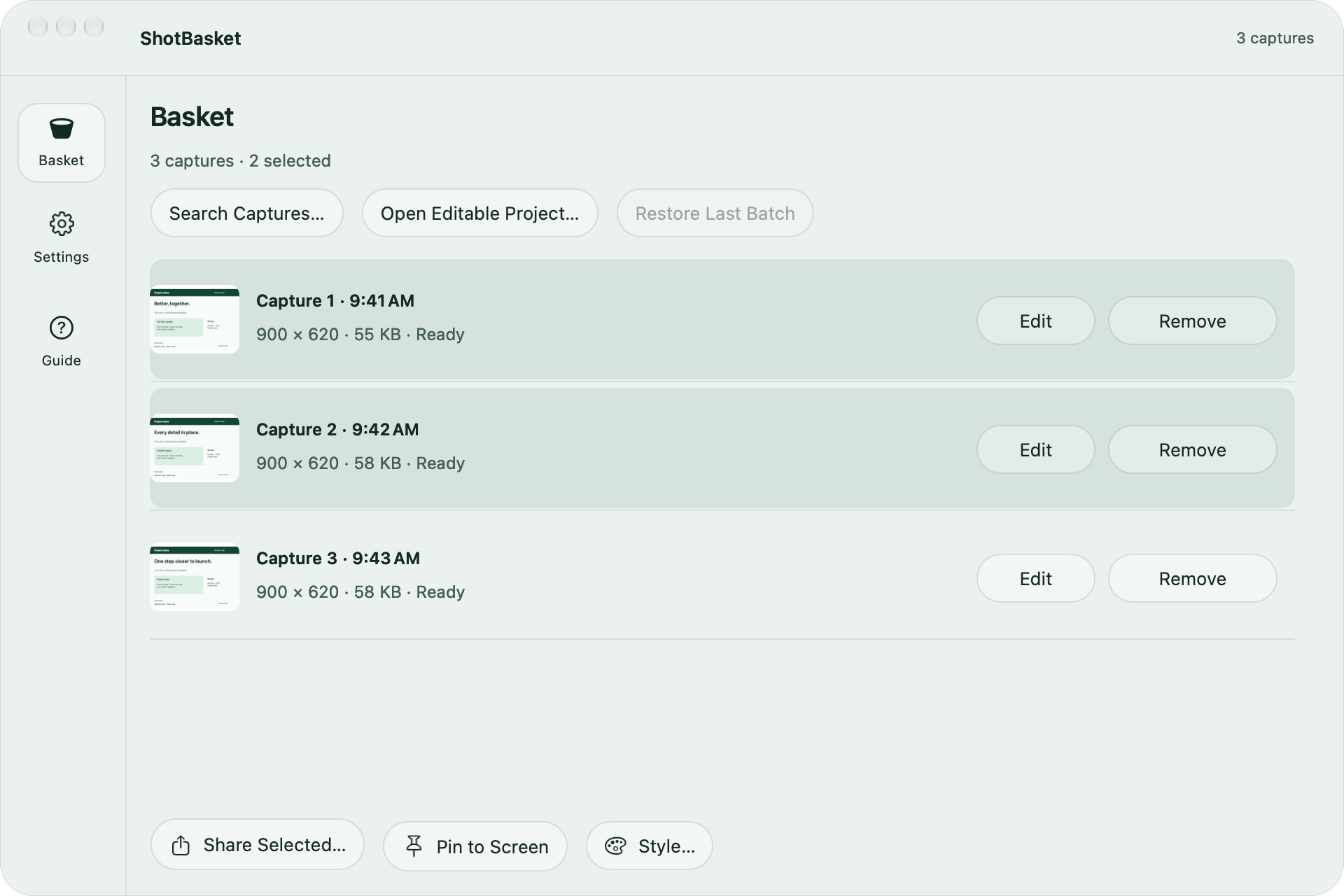
Everything waits in the basket.
Captures stay in order until you paste them, even after a restart. Edit one, remove one, or share them all with AirDrop.
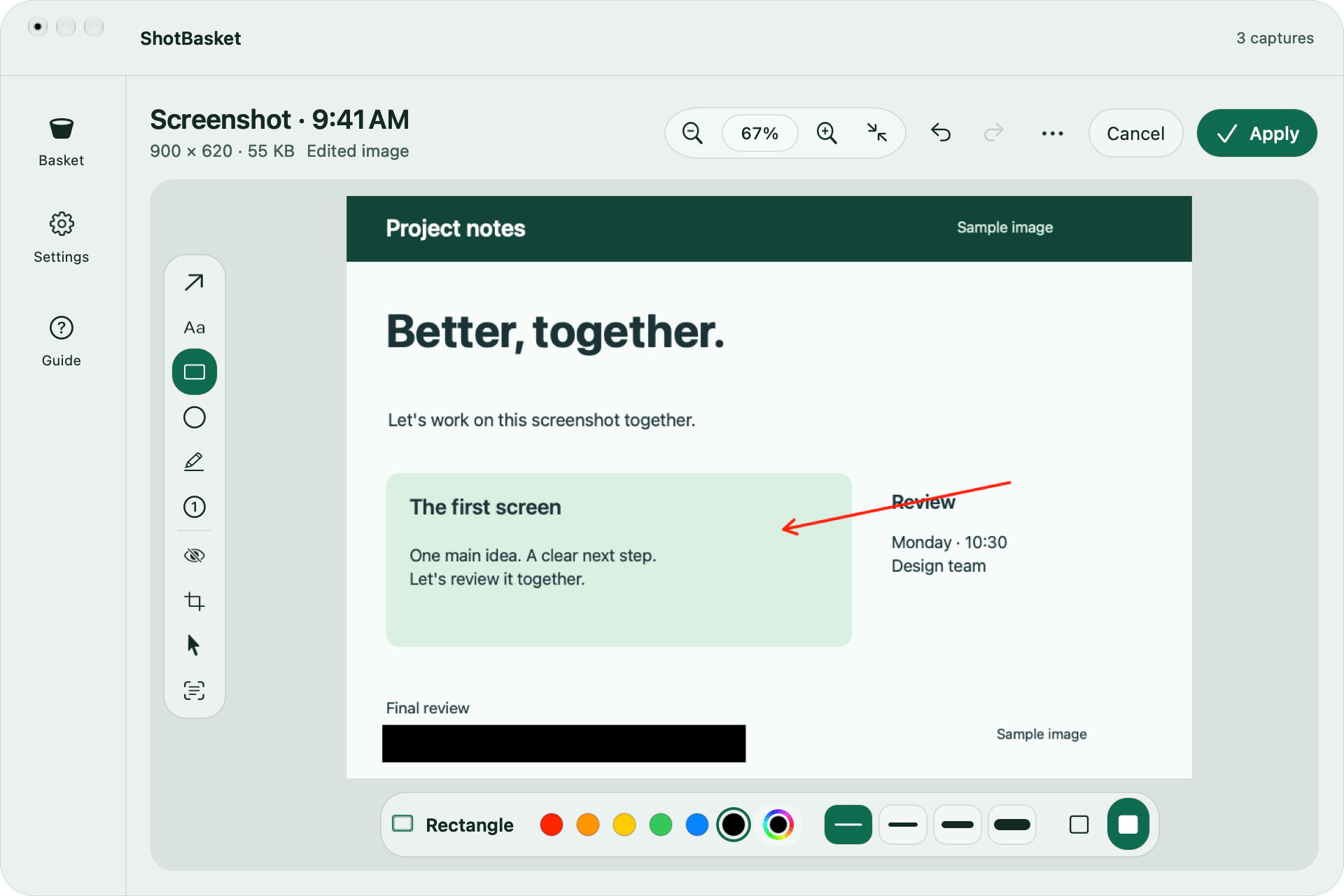
Mark it up before it goes.
Arrows, text, shapes, numbered steps, blur and crop. Editing makes a new PNG and keeps the original as it was.
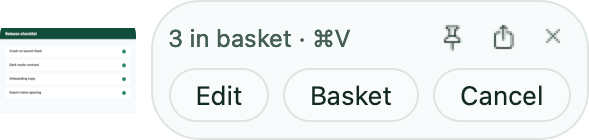
A small card after every shot.
It shows how many are waiting. Drag the thumbnail into any app, or open the editor right there.
And the rest of the toolkit.
One look for all
The same background and frame on every capture.
Scrolling capture
A whole page as one tall image.
Screen recording
Record, trim, split, save as MP4.
Copy text and QR codes
Read the text in any capture, on your Mac.
Pin to screen
Keep a capture floating while you work.
Color picker
Any pixel on screen to a HEX code.
Self-timer
Take the shot a few seconds later.
AirDrop and Share
Send one capture or the whole basket.
Drag anywhere
Drop a capture into any app or browser.
See it in 20 seconds.
Turn the sound on. It’s short.
ShotBasket can’t go online.
Not “doesn’t”. Can’t.
Every Mac App Store app runs in a sandbox and must declare up front if it needs the network. ShotBasket declares nothing, so macOS blocks any connection it could try to make. Your screenshots stay in its folder on your Mac.
- No accountOpen it and start capturing.
- No analyticsNo ads, no telemetry, no tracking.
- No cloudNothing is ever uploaded.
The permissions macOS will ask for, and why
- Screen Recording
- To take screenshots and screen recordings. Newer macOS versions call it Screen & System Audio Recording.
- Accessibility
- For the capture shortcuts and for pasting the basket with ⌘V. On macOS 27 it is called Device Control and Data Access.
- Microphone (optional)
- Only if you want your voice in a screen recording.
$9.99
Pay once. It’s yours.
No subscription, no account, no in-app purchases. You buy ShotBasket once and get its updates through the Mac App Store.
- Unlimited captures, one ⌘V for all of them
- Editor with arrows, text, blur and crop
- Scrolling capture and screen recording
- Copy text, QR codes, pins and a color picker
- macOS 13 or later, Apple silicon and Intel
- English and Turkish
 Coming soon to theMac App Store$9.99
Price in US dollars. The App Store shows it in your currency.
Before you buy
Which apps can I paste into?
Any app or web page that accepts files when you paste: mail, chat apps, notes, issue trackers and most upload fields. Each app decides how it shows the files.
Does ⌘V change everywhere?
Only while screenshots are waiting in the basket. When the basket is empty, or when you pause ShotBasket from the menu bar, ⌘V is the normal Mac paste.
Does it send messages for me?
No. ShotBasket pastes the files into the field you clicked. It never presses Return and never sends anything.
Where are my screenshots stored?
In ShotBasket’s own folder on your Mac. A capture that leaves the basket is deleted after the delay you choose, never sooner than ten minutes. Turn on Save Screenshots to Folder to keep permanent copies.
Is there a free trial?
The Mac App Store has no trials for paid apps. If ShotBasket isn’t right for you, you can ask Apple for a refund at reportaproblem.apple.com.
Is there an iPhone or Windows version?
No. ShotBasket is made for the Mac.
